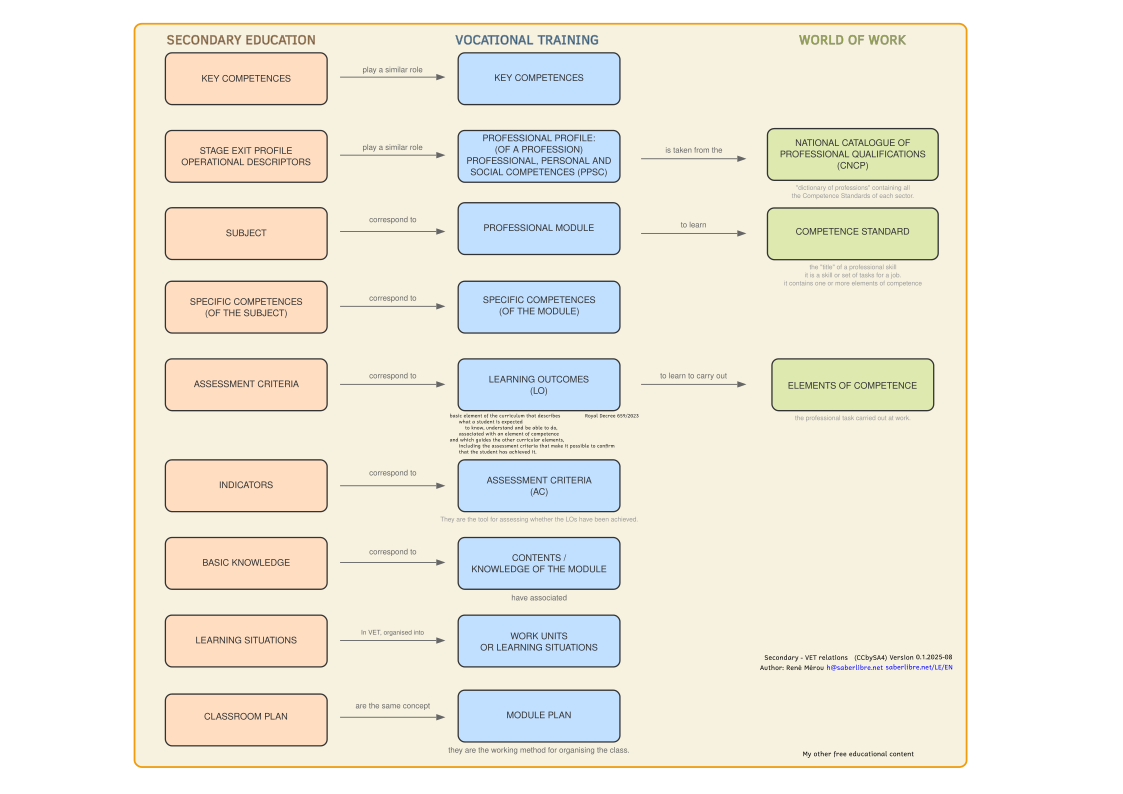
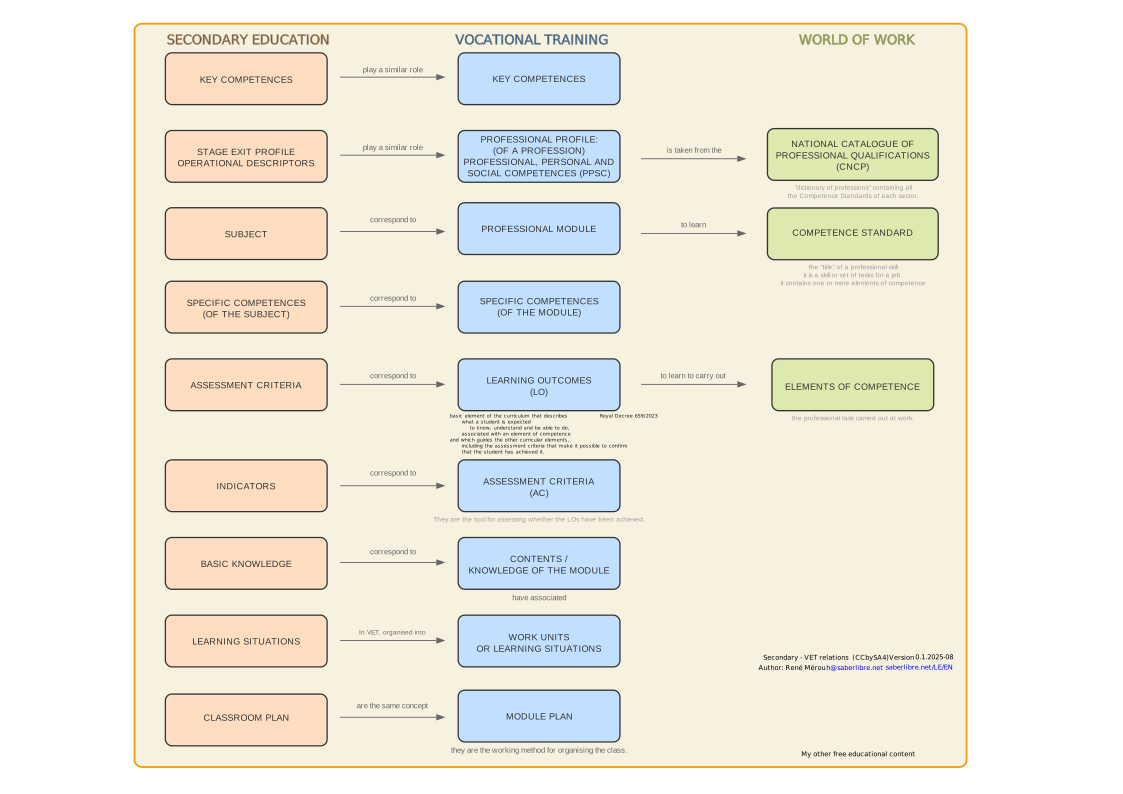
Key Competences
CCL: Competence in linguistic communication
It is the ability to express and interpret concepts, facts and opinions orally and in writing, interacting linguistically in an appropriate and creative way in all social and cultural contexts.
CP: Multilingual competence
It involves using different languages appropriately and effectively for learning and communication, taking advantage of one's own experiences to make transfers between them and acting as a cultural mediator.
STEM: Competence in mathematics and in science, technology and engineering
It is the ability to apply mathematical reasoning and the methods of science and technology to understand, describe and solve problems in diverse real-life contexts.
CD: Digital competence
It involves the safe, critical and creative use of information and communication technologies to achieve goals related to work, learning, leisure and participation in society.
CPSAA: Personal, social and learning-to-learn competence
It is the ability to reflect on oneself, manage one's own learning, collaborate with others constructively and deal with uncertainty in order to thrive in personal and professional life.
CC: Citizenship competence
It is the ability to act as responsible citizens and participate fully in civic and social life, based on an understanding of human rights and democratic values.
CE: Entrepreneurial competence
It is the ability to transform ideas into action. It includes creativity, innovation and risk-taking, as well as the ability to plan and manage projects to achieve goals.
CCEC: Competence in cultural awareness and expression
It involves appreciating the importance of the creative expression of ideas, experiences and emotions through a variety of media, including music, the performing arts, literature and the visual arts.
Operational Descriptors
CC3: Democratic coexistence
Reflects on ethical issues and human rights and takes part in community activities, becoming aware of the importance of citizen participation, cooperation, social cohesion and respect for diversity for democratic coexistence.
CCL1: Comprehension and analysis of texts
Understands, interprets and critically analyses oral, signed and written texts of different types, forms and media, assessing their reliability, form and content, in order to build knowledge, form their own opinion and take part in social and cultural life.
CCEC4-1: Creation of artistic projects
Creatively selects and combines various media and formats, as well as visual-arts, visual, audiovisual, sound or body techniques, to design and produce sustainable artistic and cultural projects.
Justification for Inclusion
This descriptor is key with the advent of generative AI. It is included to assess the ability to create a range of content (documentation, concept maps, icons, manuals) using these new tools effectively and creatively.
CD1: Information search and management
Carries out efficient and safe information searches in different digital environments, selecting, evaluating, organising and storing information and data critically and responsibly in order to turn them into knowledge.
CD2: Communication and digital collaboration
Communicates, relates and collaborates effectively, safely and responsibly in environments and with digital tools, participating in collective activities and projects and contributing to the achievement of shared objectives.
CD3: Creation of digital content
Creates, edits, integrates and reworks complex digital content in different formats to express ideas, knowledge and opinions and to share their artistic and cultural work, respecting intellectual property and copyright.
CD4: Safe and responsible use
Identifies risks and takes preventive measures when using digital technologies in order to protect devices, personal data, health and the environment, and becomes aware of the importance and need for critical, legal, safe, healthy and sustainable use of these technologies.
CD5: Solving technical problems
Sets up and uses digital devices and tools and solves simple technical problems, in order to take advantage of the opportunities that digital technology offers for lifelong learning and everyday life.
CE1: Analysis of challenges and opportunities
Analyses and assesses challenges and opportunities in the immediate and global environment, and presents innovative and sustainable ideas and solutions, applying the principles of project management and design thinking, to create value for others.
CE2: Mobilization of resources
Mobilises personal, social and cultural resources, including financial ones, to carry out ideas and projects and to make ethical and responsible economic and financial decisions, taking the social and environmental impact into account.
CE3: Project development
Develops social and sustainable entrepreneurship projects, individual or collective, planning and executing the necessary actions, and evaluating the results, to generate a positive impact on the environment.
CP2: Communication in a foreign language
Uses one or more languages, in addition to the family language or languages, fluently, appropriately and with acceptable accuracy, to respond to their communication needs spontaneously and autonomously in different situations and contexts in the personal, social, educational and professional spheres.
Justification for Inclusion
Although the curriculum does not explicitly link this descriptor to a specific competence in this subject, its inclusion is considered fundamental. The vast majority of technical documentation, forums, and programming learning resources are in English. Developing autonomy in the use of a foreign language is a key factor for the real progress of students.
CPSAA1: Self-awareness and personal growth
Knows themselves and fosters ongoing personal growth, managing time and information effectively and adapting to change in order to deal with uncertainty and complexity.
CPSAA3: Collaboration and teamwork
Collaborates constructively with others, maintaining resilience, and manages lifelong learning, contributing to their own and other people’s physical, mental and emotional wellbeing.
CPSAA4: Managing learning
Manages their own learning, identifying their strengths and weaknesses, setting goals and planning the actions needed to achieve them, and assessing their progress and results.
CPSAA5: Future-oriented life
Designs and manages a future-oriented life project, taking into account their aspirations, values and interests, and making informed and responsible decisions for their personal, social and professional development.
STEM1: Mathematical reasoning and representation
Uses inductive and deductive methods typical of mathematical reasoning in familiar situations, and selects and applies different strategies to solve problems, critically analysing the solutions and reformulating the procedure if necessary.
STEM2: Use of scientific models
Develops and uses models based on scientific knowledge to analyse natural and social phenomena and to predict how they will evolve, taking into account their limitations and uncertainty.
STEM3: Designing and conducting investigations
Designs and carries out investigations, individually or in teams, applying the scientific method and computational thinking to pose questions and hypotheses and test them through experimentation or observation.
STEM4: Data analysis and conclusions
Analyses and interprets data using mathematical and technological tools to draw relevant conclusions, assess the reliability of sources and communicate results clearly and rigorously.
STEM5: Health, sustainability and action
Puts healthy lifestyle habits into practice, becoming aware of the importance of health and sustainability for the preservation of the environment.
Specific Competences
CEsp1: Algorithms and computational thinking
Develop algorithms and computer applications in different environments, applying the principles of computational thinking and incorporating emerging technologies, to create solutions to specific problems.
CEsp3: Databases and repositories
Use databases and the different repositories as data sources, carrying out basic operations on them. Design and use the different data repositories, running queries and modifications according to the project requirements.
CEsp4: Documentation and Users
Publish and document the programs developed and the data generated in different formats, clearly and precisely, so that users can use them.
CEsp5: Simulation of real environments and emerging technologies
Carry out simulations of real environments to learn about the different branches of computing.
Assessment Criteria
CA 1.1
Design solutions to computing problems through algorithms, applying programming elements and techniques creatively.
- Identify the sequential structure and blocks that make up a computer program.
- Know the different types of variables and use them properly to store the data needed to solve the problems posed.
- Use different types of operators within algorithms to respond to the situations posed.
- Draw up flowcharts and pseudocode to represent algorithms that solve specific problems of basic difficulty.
CA 1.2
Program more complex applications for diverse environments, using programming principles and adapting algorithms to a specific programming language.
- Develop programs of some complexity by writing the corresponding code in a high-level programming language.
- Nest loops to solve problems in a high-level programming language.
- Use custom functions to improve code readability and reusability.
- Develop programs by analyzing and applying the principles of object-oriented programming.
CA 3.1
Design databases that ensure the integrity and consistency of the data in order to respond to a given problem, complying with the normal forms in the case of structured databases.
- Describe the foundations, objectives and basic elements (tables, attributes, keys, relationships, etc.) of the relational model to model different situations.
- Identify tables, attributes and relationships between tables in order to create simple entity-relationship diagrams that model databases.
- Identify consistency and integrity problems in database design.
- Know, assess and classify database management systems.
- Recognize the degree of normalization of the database tables and justify the possible denormalization of the model.
- Identify consistency and integrity problems in the design of complex databases and indicate the integrity constraints associated with each of the keys to solve them.
CA 3.2
Perform database manipulation operations (creation, query, update and deletion).
- Create the tables that make up the structure of a database using graphical tools and the data definition language.
- Perform simple queries on a table.
- Insert, delete and update data in tables using the data manipulation language.
- Run combined queries on data belonging to one or more tables.
- Manage the information stored in relational databases, maintaining the integrity and consistency of the data.
CA 3.3
Work with different data repositories performing appropriate operations to meet project requirements.
- Perform input and output operations on files using the libraries or classes offered by each programming language.
- Use the different information formats (CSV, JSON, etc.) to store data in a structured way.
- Create programs that use files to store and retrieve information.
- Identify the characteristics of relational database management systems and the methods for accessing them.
CA 4.1
Facilitate code maintenance and the implementation of improvements by professionals.
- Value the importance of code readability and structure programs in a logical, orderly, modular and consistent way.
- Add structured and systematic comments to the code to document the purpose and operation of its different parts.
CA 5.1
Incorporate concepts from certain branches of computer science in the creation of programs and applications.
- Know the different current fields of application of programming.
- Provide examples of programs developed by third parties related to various topics.
- Plan an original code development project based on a current topic in the field of computing.
CA 5.2
Incorporate features of other software products researched into the projects to be developed, in order to learn about current trends and obtain higher-quality products.
- Find libraries and applications online that contain useful functions for developing their own programs.
- Interpret the documentation of shared libraries and applications.
- Extract the parts of the code that perform the required function and integrate them into another application.
CA 5.3
Draw objective conclusions from evidence observed when running computer programs.
Term Schedule and Teaching Units
126 total sessions (4/week)
⚠ Planning note
There are more sessions scheduled than time available on the calendar.
This imbalance is intentional, for two fundamental reasons:
- Pedagogical flexibility: It allows going deeper into the topics that generate the most interest and having extra activities available.
- Adaptation to AI: The plan is designed to be modified and to accommodate the current paradigm shift.

UP1: How do we organize our learning?
(15 sessions) - Terms 1, 2 and 3
Creating the portfolio for last year and this year, and how the course works.
- What is the school portfolio?
- Create the portfolio with the highlights of last year.
- How are assignments handed in?
- Developing mature self-assessment of results.
- Measuring the effects of classroom tactics (Hattie).
UP2: How do we make the most of object-oriented programming?
(15 sessions) - Term 1
We review last year’s knowledge: algorithm development and computational thinking; using variables, control structures, functions and lists to solve problems and automate data processing. Then we move on to object-oriented programming and TDD.
- Review of programming fundamentals (Python).
- Review of algorithms and data structures.
- Custom functions.
- Application menu.
- Libraries for math, OS, TDD.
- Code reuse. Libraries.
- Objects: constructors, attributes, methods.
- Class diagram.
- Inheritance.
UP3: How do we organize the chaos? The information map
(8 sessions) - Term 1
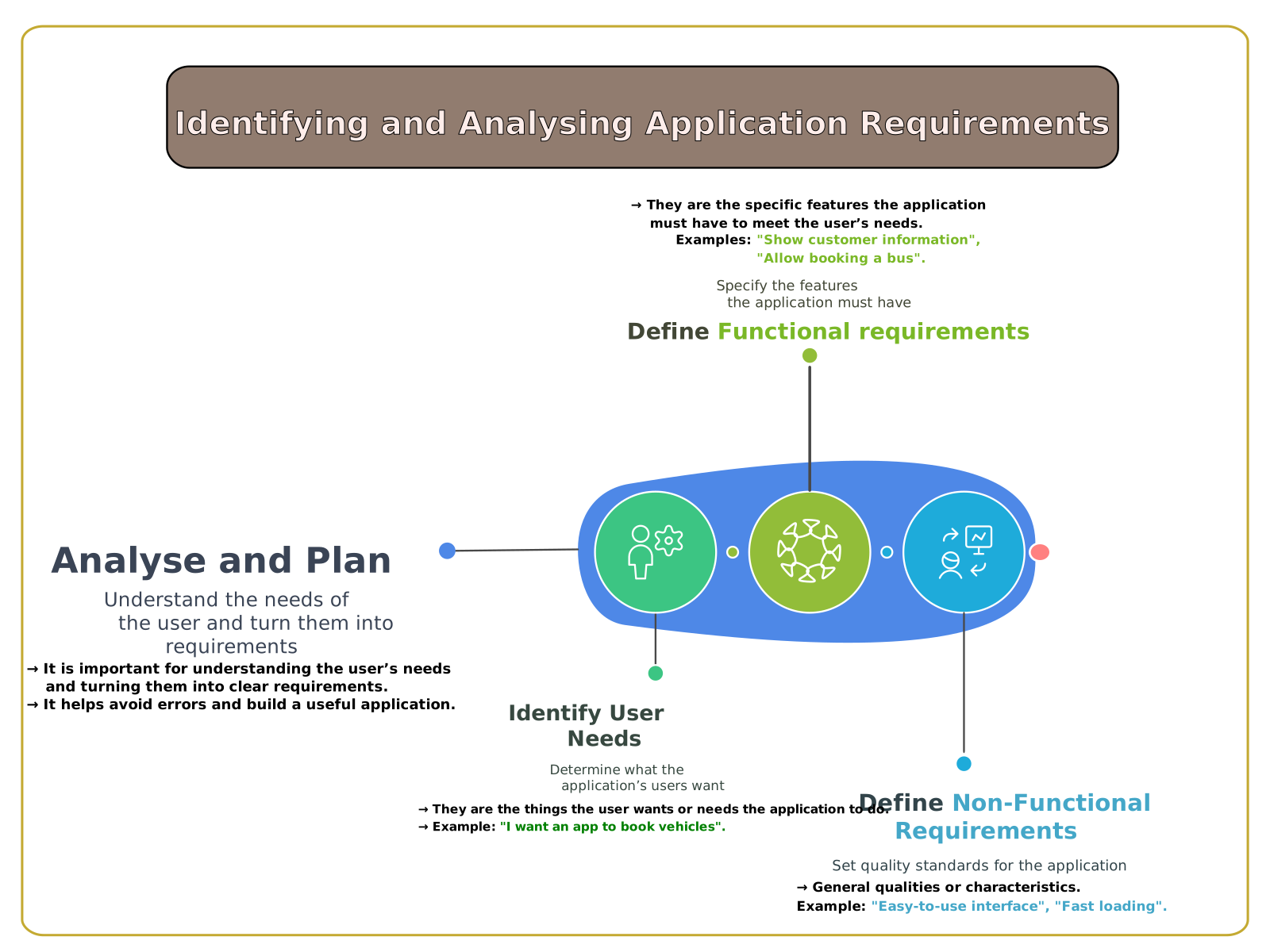
Students will learn to analyze the requirements of a problem and design their data model by creating an Entity-Relationship diagram and applying normalization rules for an efficient database.
- Entities - tables.
- Attributes - fields.
- Relationships and cardinalities.
UP4: How does personalized learning work? + Normal forms
(8 sessions) - Term 1
Review of the normal forms seen last year.
- Review of database engines.
- We will use AI to learn/revise/assess ourselves.
- The normal forms (1FN, 2FN, 3FN).
- Reflection: Too strict?
UP5: JSON: data exchange and descriptors for AI
(8 sessions) - Term 2
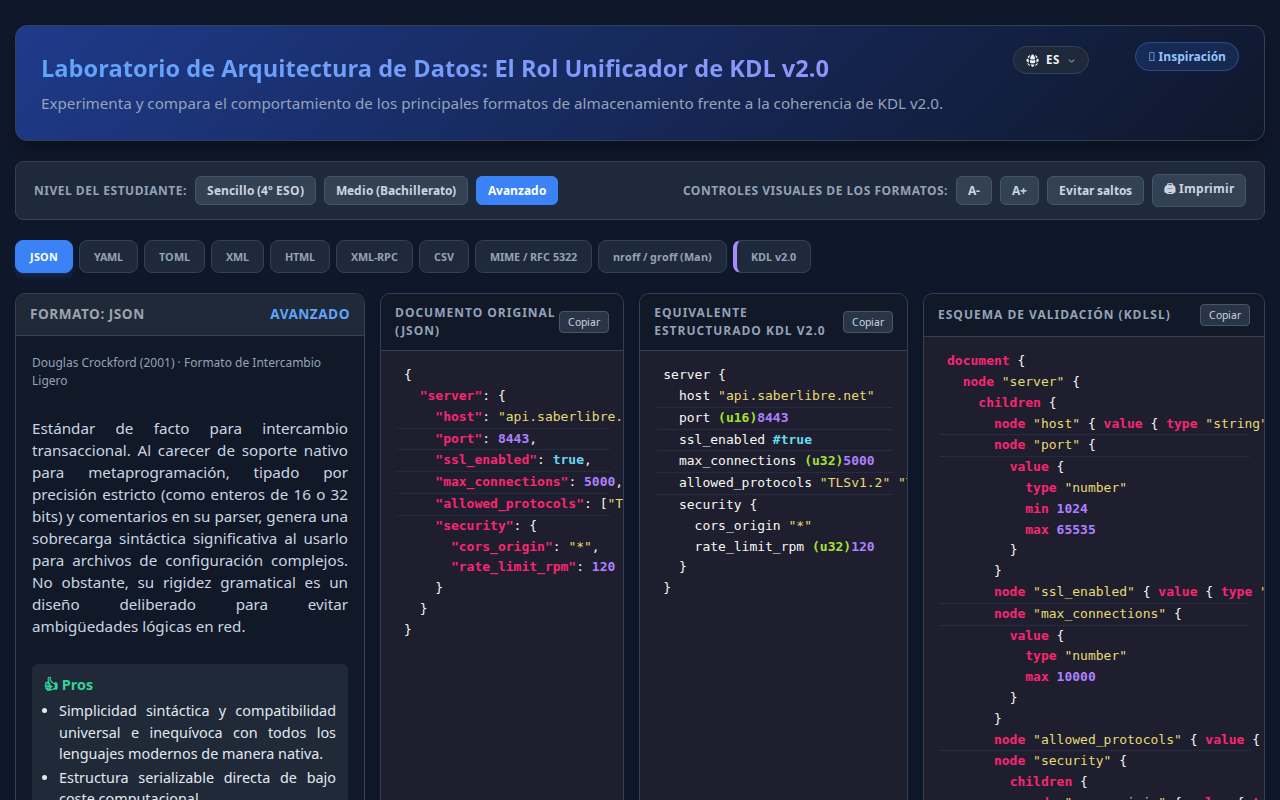
We will review CSV, JSON and XML and how JSON is used with AI. We will also look at:
- Data files to feed a database.
- JSON and structured prompts.
- JSON files to define an image and change a detail with a prompt.
UP6: How do we deploy a server on the internet? - LAMP
(6 sessions) - Term 2 [INTRODUCTION / ADVANCED LEVEL]
Setting up and managing LAMP back-end server environments (Linux, Apache, MySQL, PHP).
- Linux installation + basic configuration.
- Apache web server installation.
- Installing MariaDB as a database engine.
- PHP and phpMyAdmin installation.
- Remote SSH connection.
UP7: How do we interact with a database on a LAMP server?
(6 sessions) - Terms 2 and 3
Dynamic interaction between client and server. Students will use the Linux terminal (Shell) and graphical clients to issue commands to a database engine.
- Interact with phpMyAdmin and MariaDB.
- Basic and advanced SQL.
- SQL with SSH.
- DDL: CREATE, DELETE.
- DML: UPDATE, INSERT.
- SELECT queries: filtering, sorting, operators.
UP8: Physical Computing and IoT
(6 sessions) - Term 3
Integrating physical systems with software using microcontrollers and sensors. Capturing data from the environment, actuators and an introduction to communication between networked objects. Here we learn and practise with soldering irons and hardware.
UP9: AI running locally
(6 sessions) - Term 3 [INTRODUCTION / ADVANCED LEVEL]
Introduction to installing and using open-source artificial intelligence on Linux to ensure privacy and control.
- Terminology and fundamental concepts.
- Installation and configuration of free operating systems.
- Introduction to Ollama and LMstudio.
- Downloading LLMs.
- Introduction to generative image AI.
UP10: Fundamentals of Agents and Autonomous Navigation
(6 sessions) - Term 3 [INTRODUCTION / ADVANCED LEVEL]
We will understand what distinguishes an "Agent" from a simple Chatbot: the ability to use tools (Tool Use) and act in the environment. We will use a web browser as our primary tool in a secure environment.
- Theory: the "Think-Act-Observe" loop (ReAct).
- Sandbox: Why do we need to isolate an autonomous AI?
- Installation and configuration within Podman.
- Practice: Browser-use as a browsing agent with Ollama running locally.
UP11: What are the latest cyber threats?
(8 sessions) - Term 3
Students will conduct research and prepare a presentation on the current state of cybersecurity, covering common threats and an in-depth section on what ethical hacking is.
Justification for Inclusion
Included to work alongside the classmates who will sit the Technology and Engineering exam in the university entrance tests, where cybersecurity concepts are key.
UP12: What is the current state of Artificial Intelligence?
(8 sessions) - Terms 1, 2 and 3
This learning situation goes deeper into AI by installing an LLM locally, using AI for personalised learning and discussing how to do work with AI without losing critical skills.
Justification for Inclusion
Included to work alongside the classmates who will sit the Technology and Engineering exam in the university entrance tests, bringing them closer to the practice of, and reflection on, the latest AI technologies.
UP13: From Agents to Swarms: Multi-Agent Systems
(6 sessions) - Term 3 [FLEXIBLE LEVEL]
If an agent is powerful, a team is unstoppable. Introduction to orchestrating AIs with specialized roles (Researcher, Editor, Critic) that collaborate to solve complex tasks.
- The concept of a "swarm" and collaboration between AIs.
- Roles and specific system prompts.
- Orchestration: who is in charge? (managers vs. autonomous agents).
- Current frameworks: CrewAI, AutoGen or Swarm.
Level Adaptation
Basic Level: Analyse examples of pre-configured "hives" and understand the workflow and specialisation.
Advanced Level: Set up a small team of agents in Python or YAML to automate a task (e.g. news digest or code analysis).
UP14: Your judgment in the age of AI
(7 sessions) - Term 3
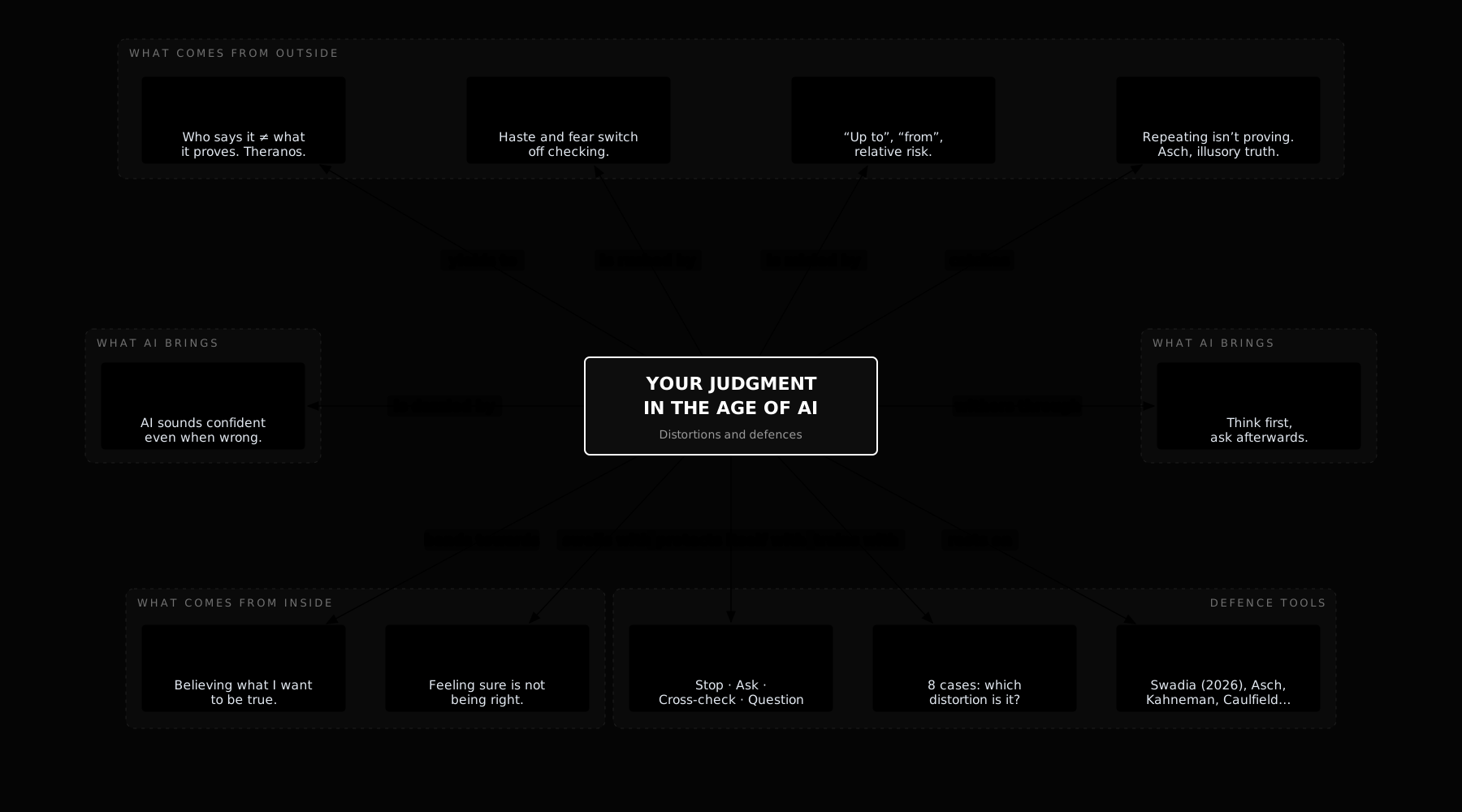
Interactive concept map on the eight distortions that skew our judgment in the age of AI (authority, urgency, misleading numbers, repetition, fluency, cognitive offloading, motivated reasoning and overconfidence) and a four-step protocol to defend ourselves against them. It includes real cases, the key studies, prompts for checking AI answers and a test.
UP15: Review: computational cost
(review or catch-up unit)
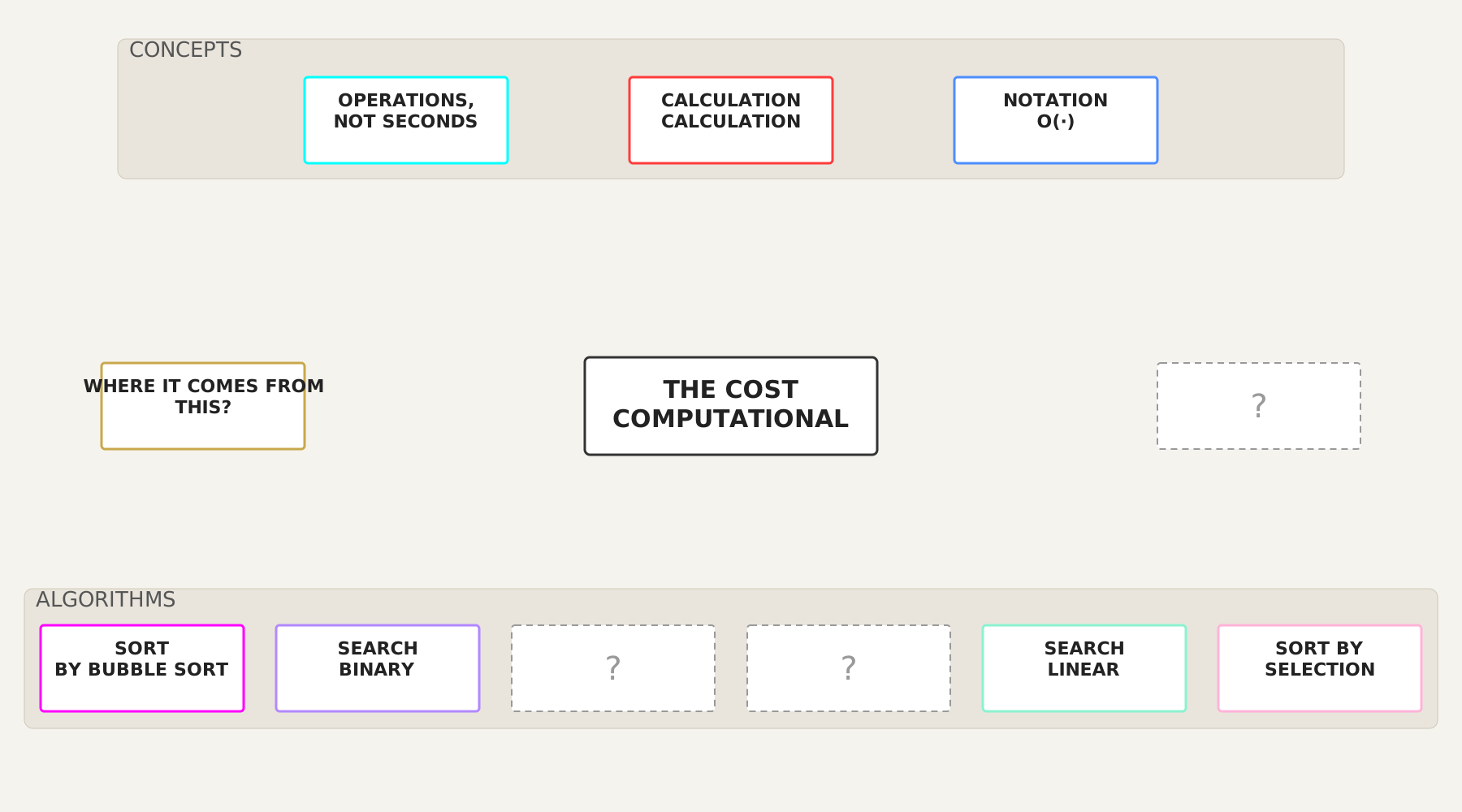
If computational cost has not been covered in 1st year of Bachillerato (PTD-I), it is taught here: how to calculate the cost of an algorithm with operations instead of seconds, O(·) notation, bubble sort, binary search, linear search, selection sort and how the cost grows when the data grows. Interactive map with experiments.
Basic Knowledge
A. ALGORITHMICS AND PROGRAMMING
- Problem solving strategies (divide and conquer, recursion).
- Nested loops.
- Implementing custom functions.
- Code reuse. bookstores
- Object Oriented Programming (OOP).
- Analysis and design of objects. Class diagrams.
- Implementation of classes: constructors, attributes and methods.
- Interaction between objects.
- Inheritance. Superclasses and subclasses.
- Polymorphism. Method overriding.
B. DATA PROCESSING
- Entity-relationship model.
- Terminology of the relational model. Relationships, attributes and keys.
- Entity-relationship diagrams.
- Integrity of databases.
- Normalisation theory. Normal forms.
- Database management systems (DBMS).
- Data Definition Language (DDL): CREATE, DELETE.
- Data Manipulation Language (DML): UPDATE, INSERT.
- Running queries (SELECT): filtering, sorting and operators.
- Data files and records. Formats (CSV, JSON, etc.).
- Opening, closing and file access methods.
- Running queries and connections from programming languages.
- Access to databases via API.
C. APPLICATION IN SIMULATED ENVIRONMENTS
- Programming applications: robotics, video games, artificial intelligence.
- Home automation, cryptography, large-scale data processing (Big Data).
- Simulations, IoT (Internet of Things), etc.
D. MANAGEMENT, ETHICS AND SECURITY
- The portfolio as a learning and self-assessment tool.
- Computer security, ethical hacking and cyber threats.
- Artificial intelligence, personalized learning, ethics-alignment and local AIs.
Justification for Inclusion
This knowledge block does not appear as a separate block in the official curriculum, but it is included because the content needs updating for the age of AI that has just arrived. Including it makes it possible to carry out the PROA+ lever activities of the school's project and responds to strategic coordination with the Technology department, which has asked this subject to cover security and artificial intelligence.
References and extras
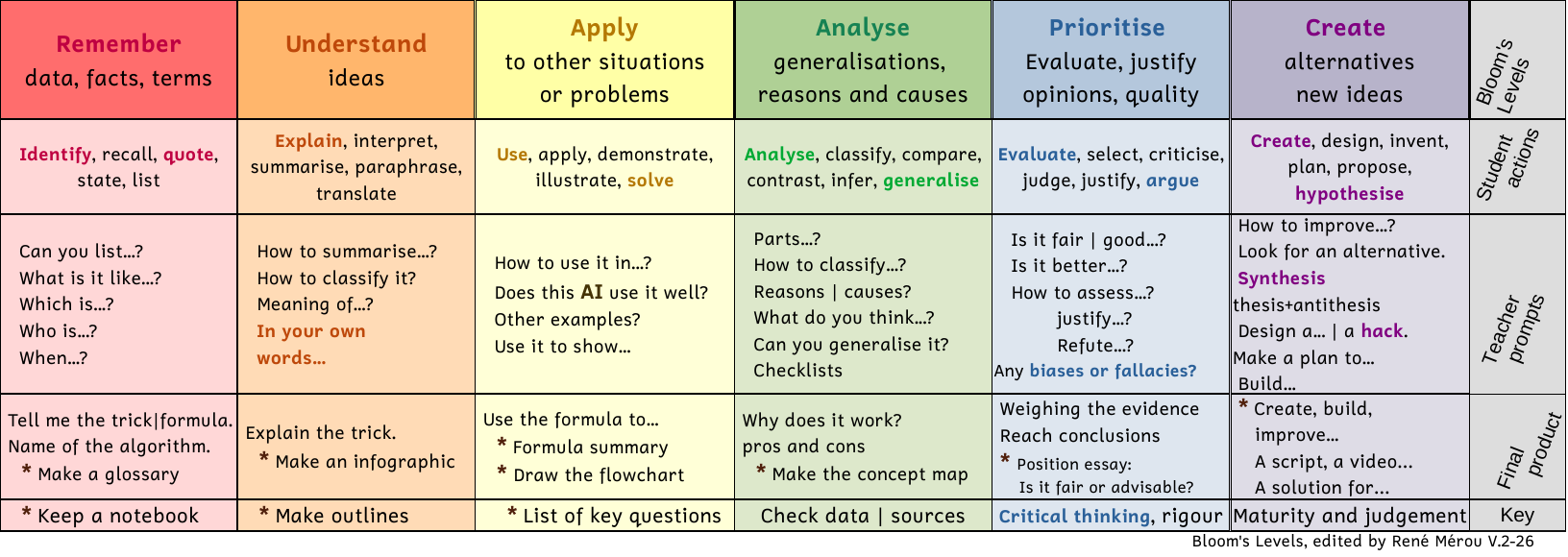
Bloom's Taxonomy Table
A visual guide to learn how to study better. Instead of just memorising, discover how to start by analysing and prioritising information to make your study more effective.
Useful for students and families to understand how we learn and how we are assessed.
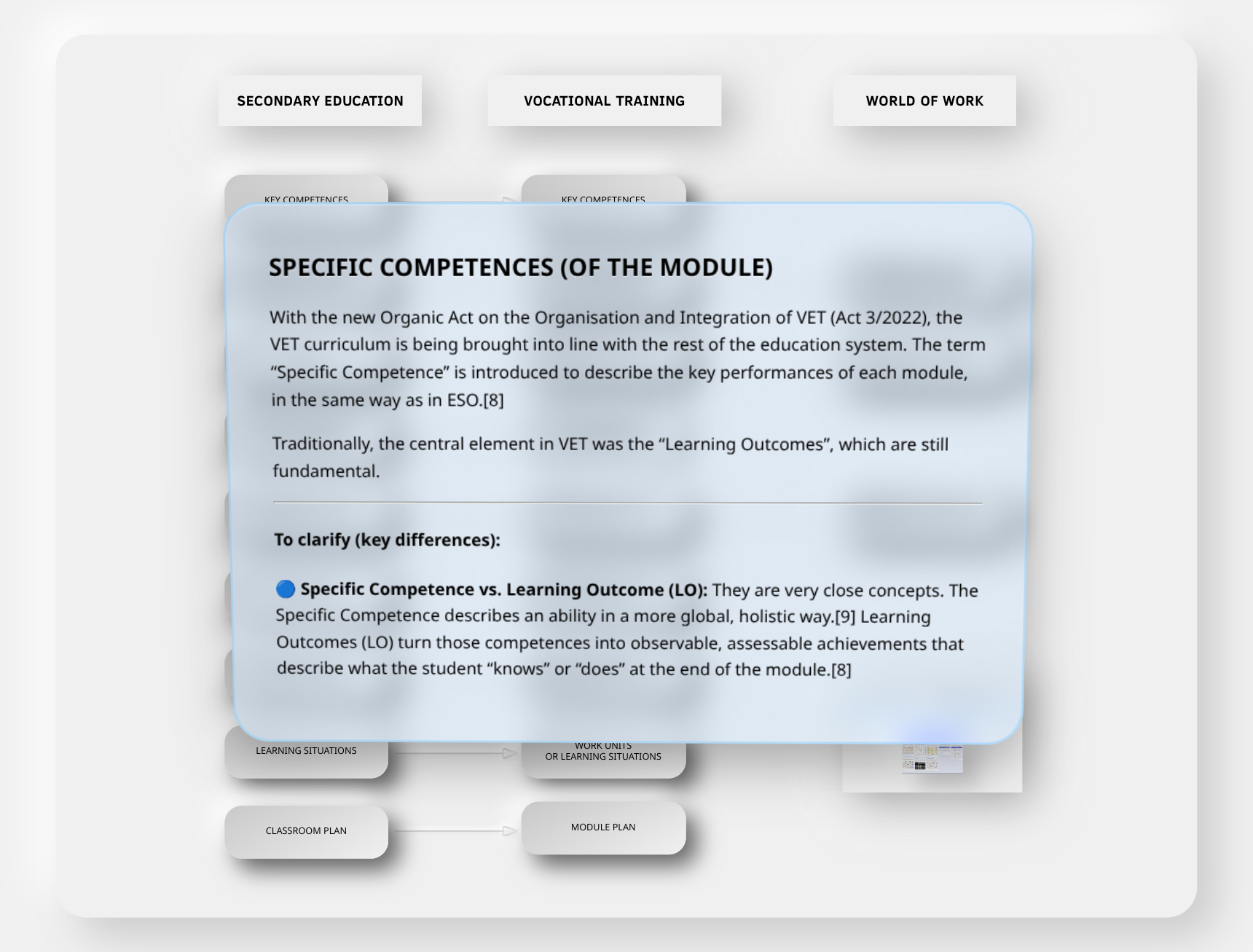
FP and Secondary Education Terminology
An interactive conceptual hypermap that clarifies and relates the terminology used in Vocational Training (VET) to that of Secondary Education.
Legal and Curricular Foundations
Legal foundations arranged chronologically (Official Pages):
- UNESCO (1996) - "Learning: The Treasure Within" report.
- OECD (1999) - Official portal of the DeSeCo Project.
- European Framework (2006) - Summary of the Key Competences regulations.
- LOE (2006) - Consolidated text in the BOE.
- LOMCE (2013) - Consolidated text in the BOE.
- LOMLOE (2020) - Consolidated text in the BOE.
- RD 243/2022 - Exit Profile and Descriptors (Bachillerato).
- Balearic Islands - Decree 33/2022 - Curriculum reference page (CAIB).
- Balearic Islands - Decree 4/2023 - Page of the Organic Regulations (ROC).
- Balearic Islands - Decree 43/2025 - View the table of contents of BOIB 103/2025.